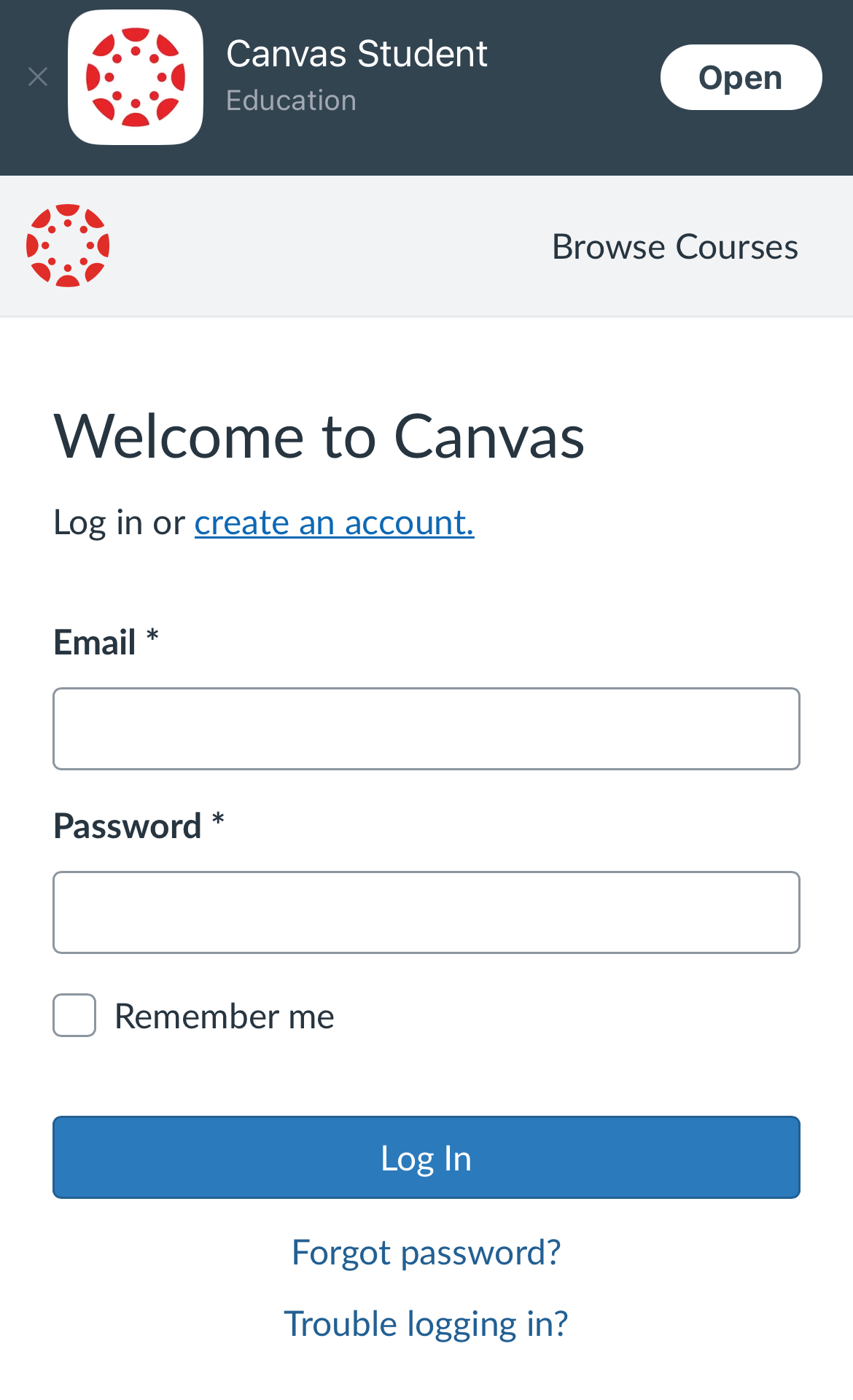
1. Sign in to BIHS CANVAS COURSES
If you already have a Canvas account, follow these steps.
- Go to the Canvas login page.
- Enter your email and password.
Important: The Canvas login screen asks for your “Email,” but depending on how your account was created, you may need to enter either your Username or your Email. If entering your email gives an error like “Email not found,” try typing your Username instead. This is a common issue and easy to fix—just try both until one works.
If you have any problems let me know: monicad@bihstudies.org
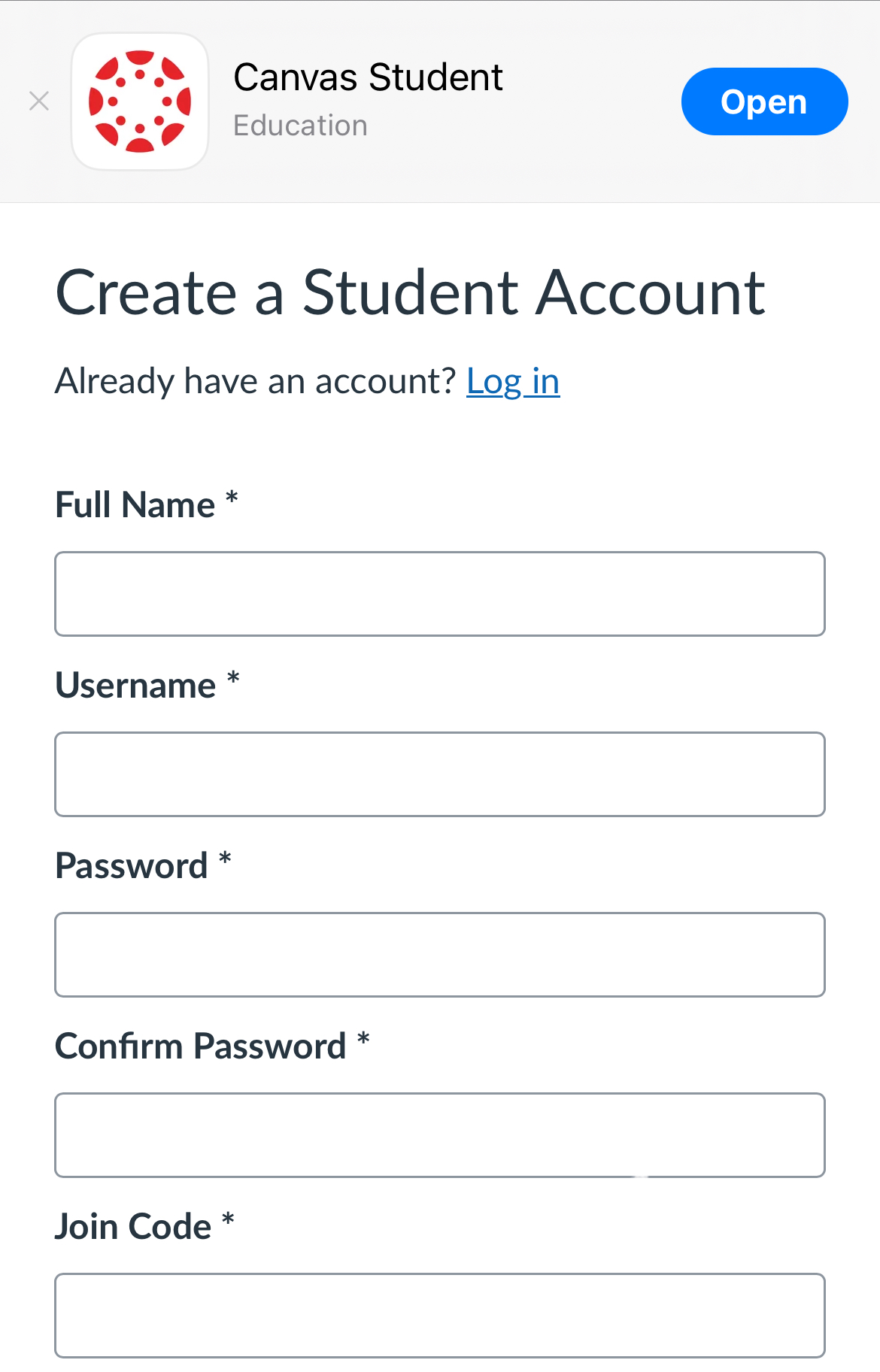
2. NEW TO BIHS CANVAS
Add The Summer Discovery Series
- Click this link to access the BIHS CANVAS course:
- Summer Discovery Series Course
- You will be asked to create a new account.
- Enter your full name
- Create a Username (please remember it!)
- Create a password
- Enter your email address
- Use the code L6WRFR to add the Discovery Series to your account.
- Save your Username and password in a safe place.
After submitting, you'll be redirected to a login screen.
Important: Even though the login screen asks for your “Email,” you need type the Username you just created. Entering your actual email address here often causes an error that says: “Email not found.” To avoid this, always use your Username—even if it asks for an email.
If you have any problems let me know: monicad@bihstudies.org
3. NEW TO BIHS CANVAS
Add A Conceptual Study of Srimad Bhagavatam
Click this link to access BIHS CANVAS course:
- A Conceptual Study of Srimad Bhagavatam
- You will be asked to create a new account.
- Enter your full name
- Create a username (please remember it!)
- Create a password
- Enter your email address
- Use the code L6H6BG to add A Conseptual Study of Srimad Bhagavatam to your account.
- Save your log in and password in a safe place.
3. After submitting, you'll be redirected to a login screen.
Important: Even though the login screen asks for your “Email,” you need type the Username you just created. Entering your actual email address here often causes an error that says: “Email not found.” To avoid this, always use your Username—even if it asks for an email.
If you have any problems let me know: monicad@bihstudies.org
One Canvas Dashboard. Two Courses
4. Add A Conceptual Study of Srimad Bhagavatam to Discovery Series
If you're enrolled in the Summer Discovery Series and would like to add the Conceptual Study of Srimad Bhagavatam, follow these steps:
- Log in to Canvas and open and click on The BIHS Summer Discovery Series course Dashboard.
- While you are sign into CANVAS use the link below to add the Srimad Bhagavatam course to your list.
If you have any problems let me know: monicad@bihstudies.org
One Canvas Dashboard. Two Courses
5. Add Summer Discovery Series to the Conceptual Study of Srimad Bhagavatam
If you're enrolled in the Conceptual Study of Srimad Bhagavatam and would like to add the Summer Discovery Series, follow these steps:
- Log in to Canvas and open your Srimad Bhagavatam course.
- While you are sign into CANVAS use the link below to add the Discovery Series course to your list.
If you have any problems let me know: monicad@bihstudies.org
One Canvas Dashboard for All Courses Across Institutions
6. Already have a Canvas account from your institution? Here's how to add BIHS courses to your existing Dashboard:
While you are sign into CANVAS Click on the button below to add the course of your Choice to your dashboard.